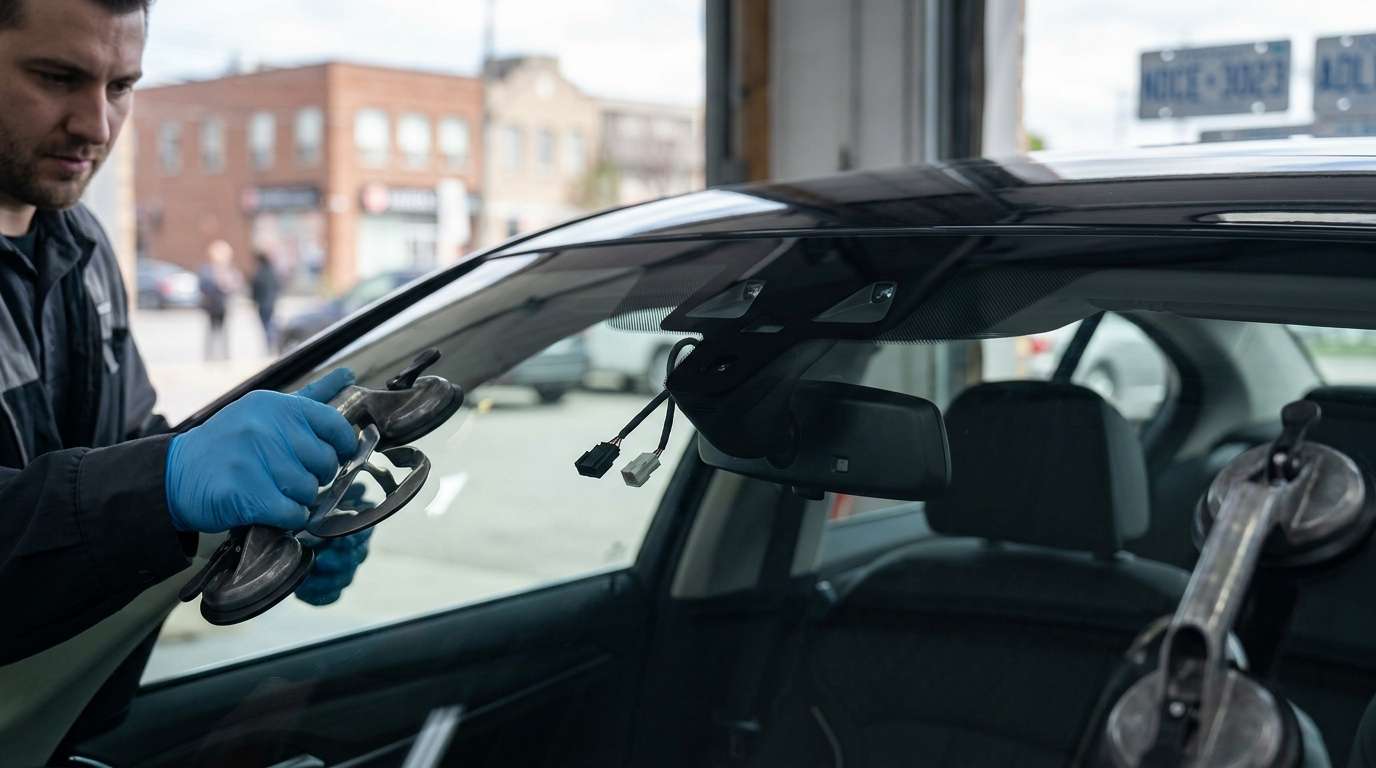
Dealing with a BMW CC-ID 195 Code After a New Windshield?
You just drove off with a fresh piece of glass on your BMW, but now your automatic wipers have a mind of their own and your dash is throwing a warning. If you are seeing the CC-ID 195 code, you are dealing with a rain and light sensor issue. I see this specific headache in the shop constantly after glass swaps. Let's break down exactly what went wrong and how we fix it so you can get back on the road.
What is the CC-ID 195 Error?
In BMW terms, CC-ID 195 points directly to a fault with the Rain/Light Sensor (RLS). This small module sits right behind your rearview mirror, pressed tight against the glass. It shoots infrared light into the windshield to detect rain drops and measures outside light to trigger your automatic headlights.
Symptoms You Will Notice
- Your automatic wipers default to a fixed, timed interval instead of reacting to actual rain.
- Your automatic headlights stay switched on even in bright Canadian sunlight.
- A persistent warning triangle sits on your instrument cluster.
Why Did the Glass Replacement Trigger This?
When an installer swaps out your windshield, they have to transfer the old sensor to the new glass. If they miss a step or rush the job, the car's computer gets confused. Here are the most common culprits.
1. Trapped Air Bubbles in the Gel Pad
The sensor uses a clear silicone gel pad to bond with the glass. If the technician reuses an old pad or installs a new one poorly, air bubbles get trapped. These bubbles scatter the infrared light, making the car think it is constantly pouring rain.
2. Missing Initialization
Every piece of glass has a slightly different tint and thickness. Your BMW needs to learn the transparency of the new windshield. If the installer didn't plug in a scan tool to reset the sensor adaptations, the CC-ID 195 code pops up instantly.
3. Damaged Wiring or Clips
Sometimes, the retaining clips on the sensor bracket get snapped, or the tiny ribbon cable gets pinched during the mirror removal process.
Step-by-Step Solutions to Clear the Error
Getting your wipers back to normal usually takes a mix of physical inspection and a software reset. Here is the process I follow in the bay.
Step 1: Inspect the Gel Pad
Grab a flashlight and look at the sensor from the outside of the windshield. The connection should look completely solid and dark. If you see silver pockets or a milky texture, you have air bubbles. The only fix here is pulling the sensor off and applying a brand new gel pad.
Step 2: Initialize the Sensor (Coding)
If the gel pad looks good, the car just needs a software reset. Using a high-end OBD2 scanner, BMW INPA, or ISTA software, navigate to the body control module. Find the RLS initialization function and clear the old adaptations. The system will calibrate to the new glass, and the code should clear immediately.
Step 3: Check the Physical Connections
Pop the plastic cover off the back of the mirror. Make sure the three-wire connector is pushed all the way into the sensor and that the metal spring clips are holding the unit firmly against the glass. A loose sensor will vibrate and throw false readings.
Expert BMW Glass Service in the GTA
Fixing sensor issues is just part of doing a glass job right the first time. If you want to avoid these headaches entirely, trust your car to AlexWindshield. We specialize in mobile auto glass services across the Greater Toronto Area. When we replace your windshield, we handle the glass, the gel pads, and the computer coding right in your driveway. Plus, every install comes backed by our Lifetime Warranty. Give us a call and we will get your BMW sorted out the right way.


