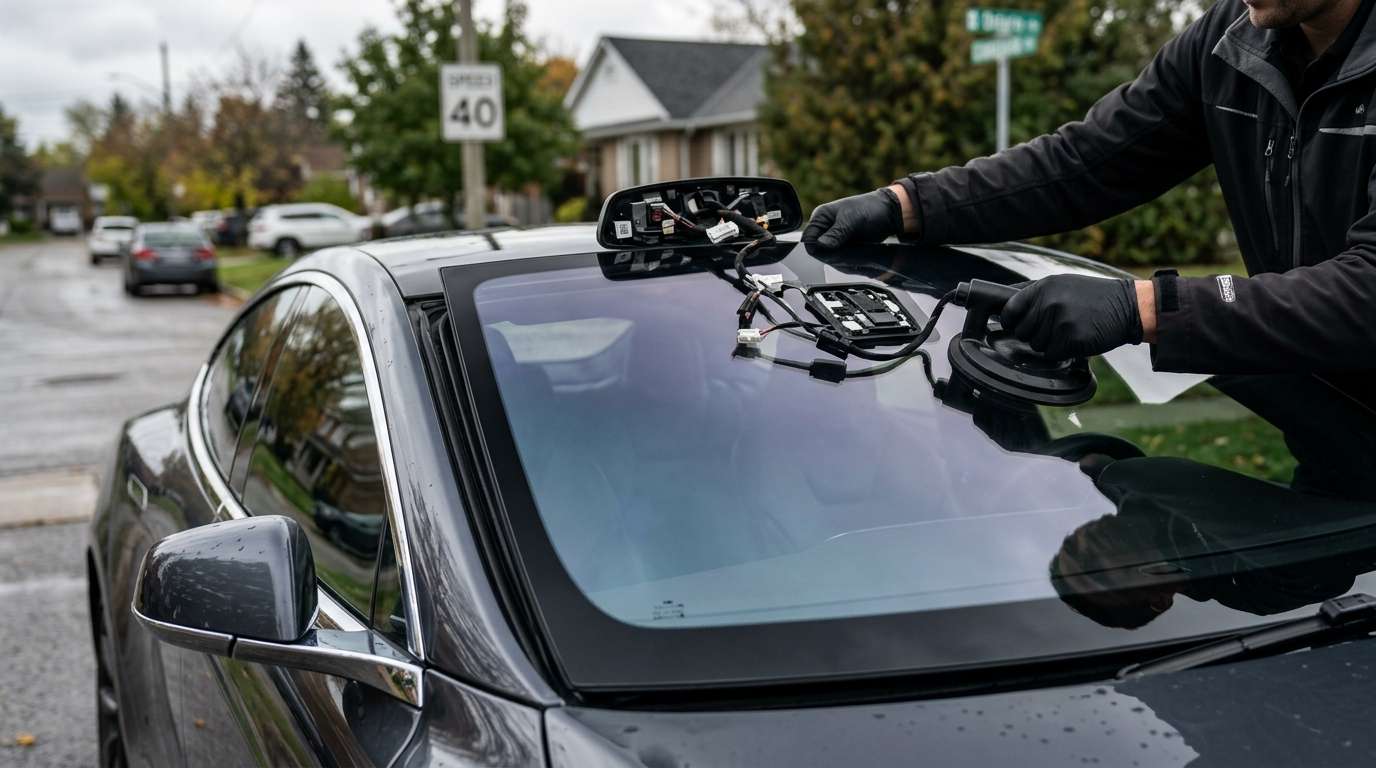
B0114 Rain Sensor Not Detecting Rain – Full Troubleshooting Guide
If you're pulling a B0114 diagnostic trouble code on your scanner, your automatic wipers have probably stopped doing their job. I see this specific code roll into the shop all the time, especially after a rushed windshield replacement. Let's break down exactly what this code means, why it triggers, and how to fix it so you aren't manually flicking your wiper stalk every time it drizzles.
What Is the B0114 Trouble Code?
The B0114 code points directly to a communication failure or reading error from your vehicle's rain sensor. The body control module (BCM) expects a specific voltage signal when water hits the glass. When the sensor fails to detect that moisture—or sends an out-of-range signal back to the computer—it throws this code and disables your auto-wiper function entirely.
Common Symptoms
- Dead Auto-Wipers: Your wipers do absolutely nothing when set to the "Auto" position during a rainstorm.
- Erratic Sweeping: The wipers swipe at random times, even on a perfectly dry, sunny day here in Canada.
- Warning Messages: Many modern dashboards will flash a direct message saying "Auto Wipers Fault" alongside the stored code.
Main Causes Behind the Error
From my hands-on experience behind the glass, the root cause is almost always one of the following issues:
- Air Bubbles in the Gel Pad: This is the number one culprit. The rain sensor relies on a clear silicone gel pad to bond with the windshield. If air bubbles get trapped between the glass and the sensor during a windshield replacement, the infrared light scatters, and the sensor goes blind.
- Dirty or Scratched Glass: Heavy road grime, tree sap, or deep scratches directly over the sensor lens area disrupt the reading.
- Wiring Harness Issues: A loose connector at the rearview mirror or a pinched wire in the overhead console.
- A Dead Sensor Unit: Sometimes the internal optics just burn out and the physical unit needs to be swapped out.
Step-by-Step Troubleshooting Process
Step 1: Clean and Inspect the Glass
Start simple. Grab a high-quality glass cleaner and wipe down the outside of the windshield right in front of the rearview mirror. Look closely for deep rock chips or heavy pitting right over the sensor eye. If the glass is damaged there, the sensor can't read the rain.
Step 2: Check the Sensor Gel Pad
Pop off the plastic cover behind your rearview mirror. Look at the face of the sensor where it meets the glass. If you see milky spots, dirt, or air bubbles, you found your problem. You'll need to carefully unclip the sensor, peel off the old gel pad, and install a fresh one. Press it on evenly to avoid trapping new air.
Pro Tip on Gel Pads
Never try to reuse an old gel pad. Once it pulls away from the glass, its optical clarity is ruined. Always use a brand new, vehicle-specific pad.
Step 3: Test the Connection & Clear Codes
While you have the cover off, unplug the sensor harness. Look for bent pins or green corrosion. Plug it back in firmly until you hear a solid click. Hook up your OBD2 scanner, clear the B0114 code, turn the ignition on, and spray a water bottle at the sensor area from the outside. If the wipers swipe, you fixed it.
Need Help in the Greater Toronto Area?
Dealing with modern windshield tech can be a massive headache if you don't have the right tools, scanners, or replacement gel pads. If you're dealing with a stubborn rain sensor code or need a fresh piece of glass installed the right way, give us a shout at AlexWindshield. We provide expert mobile auto glass services right to your driveway anywhere in the GTA. Every single replacement comes backed by our Lifetime Warranty, so you know the job is done right the first time.


